 OpenMyDrawing
Open a DXF file in your browser.
DXF files from AutoCAD and every other CAD program. Read the drawing and measure it.
- Free measuring
- No ads
- No account
- Share from WhatsApp
No file at hand? Try a sample drawing.
Your file is deleted as soon as it has been opened, and the pages drawn from it within 1 hour. It is never used for AI training, and it is processed in the EU.
DWG and DXF drawings show a light "Preview" mark in this app. It does not change sizes, scale or measurements; PDF pages never carry it.
How it works
-
Open the file
Tap the button and pick the DXF you were sent.
-
Read it
Zoom in with two fingers. A file with several drawings shows them one at a time.
-
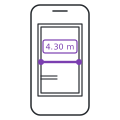
Measure
Press Measure, then tap two points. Press Done to finish. The scale usually comes from the file.
Questions
How do I open a DXF file?
Tap Open a DXF file on this page and pick the file. It opens in your browser on a phone, tablet or computer, with no CAD program.
Is it free?
Yes. Opening and measuring are free. Open as many files as you like, each up to 40 MB.
Which DXF files work?
DXF files of any version, from AutoCAD, BricsCAD, Archicad, Revit and the programs that drive laser and CNC cutters.
What is the difference between DWG and DXF?
Both hold a CAD drawing. DWG is AutoCAD's own format; many other programs can save DXF. This site opens both: a DXF on this page, a DWG in the DWG viewer.
Are the measurements right?
A DXF usually stores its units, so lengths come out true to size. With Snap to points (snap) on, tapping near a line end, a corner or a middle snaps the measuring point to it. To be sure, first measure one dimension written on the drawing and compare. If a file has no units, press More, then Set scale, and choose “I know a length”.
What happens to my file?
Your file is deleted as soon as it has been opened, and the pages drawn from it within 1 hour. It is never used for AI training, and it is processed in the EU. It is opened in a separate process with no network access.